How to show delivery dates on Shopify product pages
A delivery estimate buried in a shipping tab does nothing. The same estimate next to the buy button removes the last objection before the click. This guide covers where to place a delivery date on a Shopify product page, the theme-editor steps to get it there, how to word it so it survives contact with a real customer, and the placements that look sensible and change nothing.
·7 min read
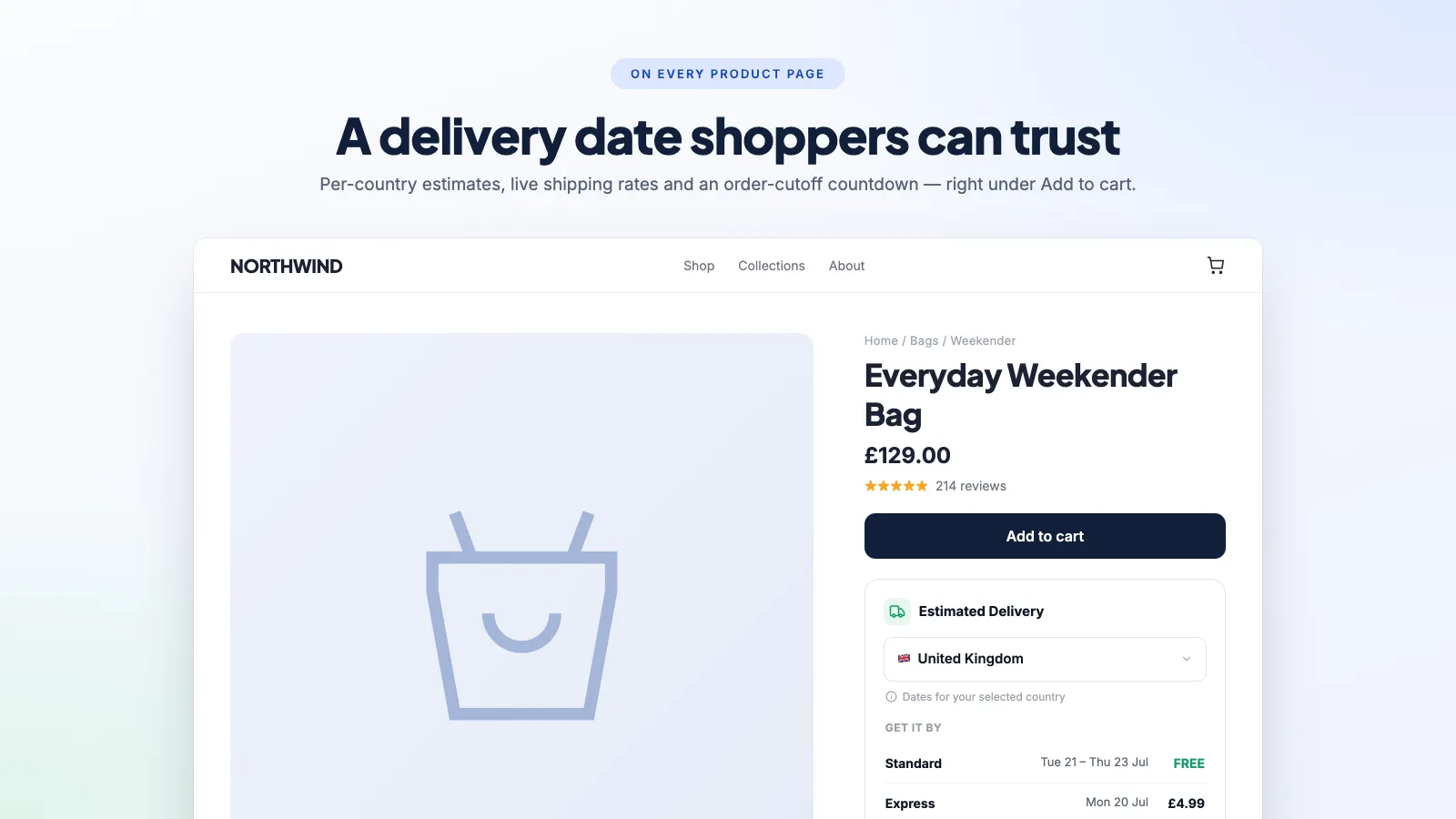
Add the block in the theme editor
On any Online Store 2.0 theme — Dawn, Refresh, Craft, Sense and most paid themes since 2021 — delivery date widgets are app blocks you place yourself. No Liquid editing, and nothing to undo if you change your mind. This page assumes you have an app configured already; if not, start with how to show estimated delivery dates on Shopify.
- 01
Open the product template
Online Store → Themes → Customise, then switch the page selector at the top from Home page to Products → Default product.
- 02
Add an app block inside the product information section
In the left panel, click "Add block" within the product information section — not "Add section" further down. A delivery estimate placed in a full-width band below the fold is a delivery estimate nobody reads.
- 03
Drag it directly under the buy button
Blocks move by dragging. Under the Add to cart button is the strongest position: it answers the shipping question at the exact moment the shopper is deciding. Above the button is the second choice, and pushes the button down.
- 04
Set the rules, then save and test
Cut-off time, working days, closed dates and per-product lead times are app settings rather than block settings. Save, then open the live product page rather than the preview — some apps behave differently in the theme editor.
Placement, ranked
Roughly in order of how much work each placement does:
- Directly under the Add to cart button — the strongest placement, and the one to use if you only pick one. The objection and the answer are in the same eyeline.
- Beside the price — a compact "Arrives 3–5 Sep" reads as a product attribute rather than an advert, and it survives on mobile where vertical space is scarce.
- In the cart, next to each line — useful when a cart holds items with different lead times, which is exactly when a single order-level estimate misleads.
- On the order confirmation and order status page — does nothing for conversion and a great deal for your support inbox. This is where "where is my order" gets answered before it gets asked.
- In a collapsible shipping tab — near-worthless. Anything behind a click is read by a small minority, and the people who most needed the answer have already gone.
- In the footer or a shipping policy page — not a placement, an archive. Fine as a reference, useless as a conversion tool.
How to word it
The wording carries more weight than the styling, and it is where most stores quietly over-promise.
- Use a range, not a single date, wherever transit time is genuinely variable. "Arrives 3–5 September" is honest and is not read as vaguer than a single day.
- Say "dispatches" when the delay is on your side and "arrives" when you are describing the carrier. Conflating the two is how a made-to-order product ends up promising next-day arrival.
- Name the day, not the interval. "Arrives Thursday 4 September" beats "3–5 business days", because the shopper does not have to work out what a business day is or whether today counts.
- Pair the date with the cost. "Arrives Thu 4 Sep · £3.95" answers both objections at once; a date on its own leaves the second one waiting at checkout.
- Keep the cut-off honest. A live "order within 4h 12m" countdown works because it is true. An evergreen timer that resets every visit is the same mechanic as a fake sale deadline, and it carries the same regulatory risk.
That last point is worth taking seriously rather than treating as boilerplate — countdown timers that are not a lie goes through what UK and EU consumer protection rules actually say about manufactured deadlines.
Speed and layout shift
A delivery estimate is small, renders near the top of the page, and is therefore capable of doing disproportionate damage to Core Web Vitals.
- A date that appears after load pushes the buy button down. That is Cumulative Layout Shift, and it is worse than the metric suggests, because a button that moves as a thumb comes down causes mis-taps.
- Prefer an app whose theme app extension renders server-side in Liquid over one that fetches the estimate from an external API on every page view — the second costs a network round trip before anything appears.
- Re-run PageSpeed Insights on a product page after installing. If Largest Contentful Paint moved, the widget is in your critical path — this is how to work out which app is responsible.
Frequently asked questions
Where should the delivery date go on a product page?
Directly beneath the Add to cart button. That places the answer where the objection is, and it is the position that consistently does the most work. Beside the price is a good second choice, especially on mobile. A collapsible shipping tab is close to useless — anything behind a click is read by very few people.
Can I show a different date for different products?
Yes, with any app worth installing. Per-product lead times, usually via a metafield or a product-level rule, are what stop a 10-day made-to-order item being averaged in with everything you ship the same afternoon.
Do I need to edit theme code?
No, on an Online Store 2.0 theme. Delivery date widgets are app blocks you add and drag in the theme editor. You only touch Liquid on a vintage theme, which is a good reason to move off one.
My delivery date vanished after I changed theme. Why?
App blocks are stored in the theme, not in the app. Switch, duplicate or update a theme and you re-add the block in the new theme's editor. The rules and settings themselves are untouched.
Should I show a date range or a single day?
A range wherever transit time genuinely varies, a single day where you control the whole chain. Shoppers do not read a range as evasive; they read a missed single date as a broken promise, which is much more expensive.
The estimate, where it gets read
A theme block you drag under the buy button, with per-country dates, real shipping rates and a live cut-off countdown. Carries through to cart, checkout and order confirmation. 14-day free trial.
How to show estimated delivery dates on Shopify
Why "3-5 business days" costs you sales, and the three ways to put a real date on the product page instead.
The best Shopify delivery date apps, compared
There are good free options in this category, which changes the question from "which app" to "what do you actually need that free does not do".
Shopify order cut-off times, holidays and closed dates
The single most common cause of a wrong delivery estimate is an app counting Sunday as a working day. Here is the whole set of rules to get right.