Shopify Core Web Vitals: what actually slows a store down
Every Shopify merchant has at some point pasted their URL into PageSpeed Insights, got a red number, installed a speed app and got a slightly different red number. The score is not the thing being measured, and most speed apps address the wrong half of the problem. This guide covers what Google actually uses, and the specific things on a Shopify store that move it.
·11 min read
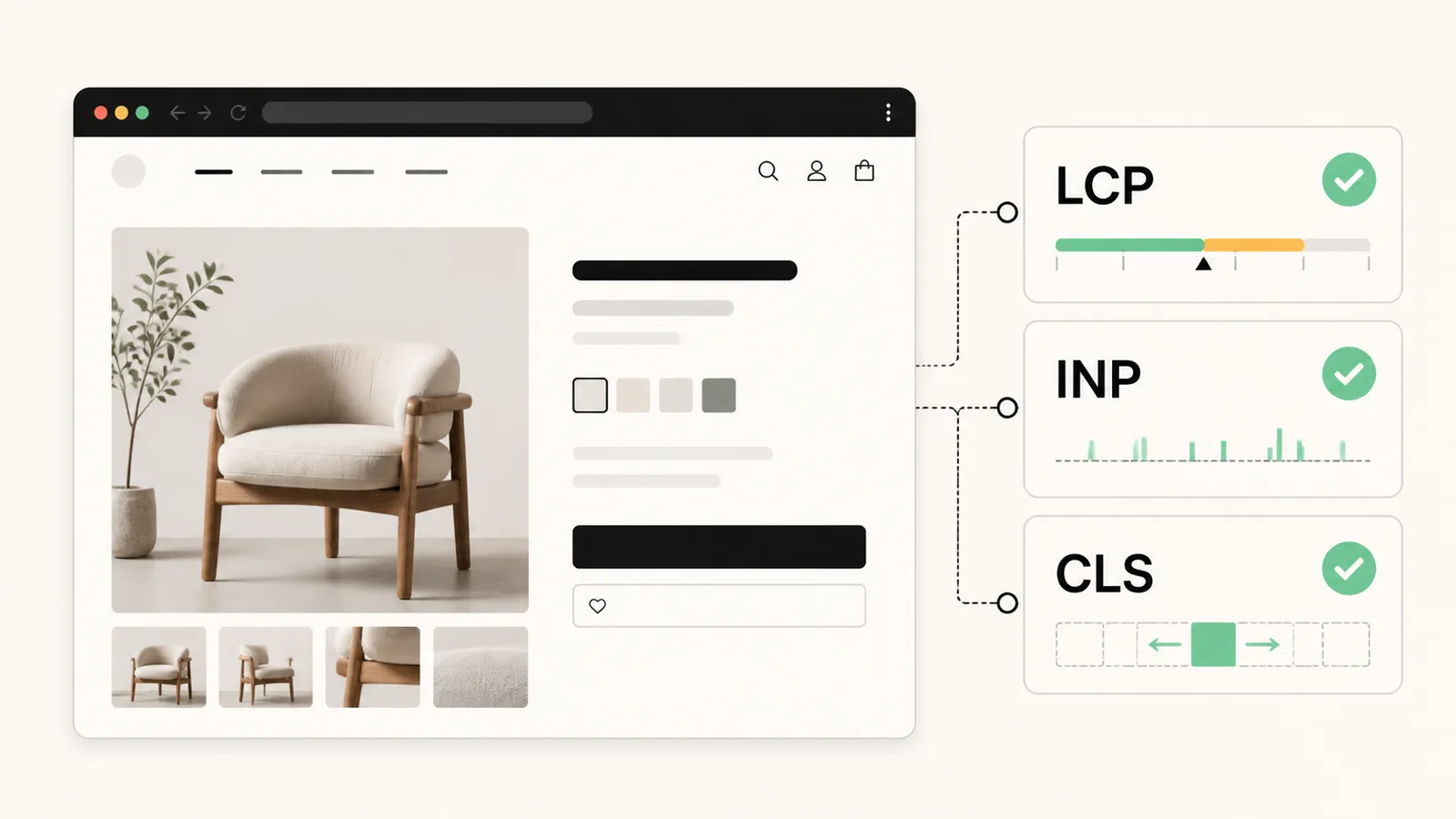
Lab score versus field data
PageSpeed Insights shows two things, and merchants usually read the wrong one. The big coloured number is a Lighthouse lab score: one simulated load, on a simulated slow device, on a simulated network. It is a diagnostic.
Above it, when Google has enough traffic data for your site, sits the Chrome User Experience Report — real Chrome users, real devices, 28-day rolling window. That is field data, and that is what feeds the page experience signals. A store can sit at 45 in the lab and pass every Core Web Vitals threshold in the field, which is why chasing the lab number is a good way to spend a month on nothing.
| Metric | What it measures | Good (75th percentile) |
|---|---|---|
| LCP | How long until the largest visible element renders. | Under 2.5s |
| INP | How long the page takes to respond to interaction, across the visit. | Under 200ms |
| CLS | How much the layout moves while loading. | Under 0.1 |
LCP: usually one image and one font
On a Shopify store the LCP element is almost always the hero image on the homepage or the featured product image on a product page. Four things ruin it:
- The hero image is lazy-loaded. A lazy hero cannot start downloading until layout runs. Above-the-fold images want loading="eager" and fetchpriority="high"; everything below the fold wants lazy.
- The image is enormous. Shopify's CDN will resize for you — request the size you display, serve WebP, and set width and height so nothing reflows.
- A render-blocking font. A webfont loaded without font-display: swap holds text invisible until it arrives. Preload the one font the fold needs, swap the rest.
- Third-party scripts in the head. A tag manager, a chat widget and two app scripts loading before your content is the most common cause of a slow first paint on an otherwise fine theme.
INP: the app problem
INP is where Shopify stores struggle, and it is almost entirely about JavaScript. Every app that adds storefront functionality adds script, and every script competes for the same single main thread the browser uses to respond to taps.
The visible symptom is a tap on Add to cart that does nothing for half a second. The cause is usually a long task — a script parsing, a listener doing too much work — blocking the thread at the moment the user acted.
- Audit what is actually loading. Chrome DevTools, Network tab, sorted by size, on a real product page — not the homepage. Most merchants are surprised by at least two entries.
- Uninstall properly. Removing an app from your admin does not always remove the code it pasted into your theme. Search the theme for leftover script tags after every uninstall.
- Do not load storefront app scripts on pages that do not use them. A reviews widget has no business executing on the cart page.
- Be suspicious of apps that are not theme app extensions. Extensions are sandboxed and removed cleanly; injected code is neither.
CLS: reserve the space
Layout shift is the easiest of the three to fix and the most damaging to conversion, because a shift near a button turns a purchase into a mis-tap.
- Set width and height on every image, always. The browser reserves the box before the file arrives.
- Reserve space for anything injected late — review stars, delivery date widgets, countdown timers, cookie banners. Fixed-height containers, populated afterwards.
- Never inject a banner above existing content after load. That shifts the entire page down, and it is usually an announcement bar or a promotion app doing it.
- Watch webfont swaps. A large difference in metrics between fallback and webfont reflows the text; the size-adjust descriptors exist to fix that.
How to measure it honestly
- 01
Start with field data, not a score
Search Console's Core Web Vitals report groups your URLs by pass or fail using CrUX field data. That tells you which template has the problem — usually product or collection, rarely the homepage everybody tests.
- 02
Reproduce it on the worst real page
Take the worst-performing URL from that report into PageSpeed Insights and DevTools. Test a product page with reviews, an upsell block and every app active — not a stripped-back example.
- 03
Change one thing
Fix a single cause, publish, and wait. CrUX runs a 28-day rolling window, so field data moves slowly. Changing five things at once means learning nothing about any of them.
- 04
Re-check after every app install
Speed is not a project you finish. It is a thing that degrades every time someone installs something, which is why the report is worth a monthly look.
If that sounds like more time than you have, this is one of the things we do — measured against real field data, with a before and after you can show someone, rather than a screenshot of a lab score.
Frequently asked questions
Do Core Web Vitals affect Shopify SEO rankings?
They are a genuine but modest ranking signal — Google has been consistent that relevance outranks page experience, and a fast page about the wrong thing still loses. The larger effect is commercial: slow pages convert worse, and that shows up in revenue long before it shows up in rankings.
Why is my Shopify PageSpeed score so low when the site feels fast?
Because the score is a simulated load on a throttled mid-range phone, and you are testing on a fast laptop with a warm cache. Judge the site on the field data from real Chrome users at the top of the same report, and use the lab score only as a list of things to investigate.
Will removing apps improve my Core Web Vitals?
Usually yes, and it is the highest-yield change available to most stores — but only if the app is removed properly. Uninstalling from the admin often leaves script tags and Liquid snippets behind in the theme, so the cost stays after the app has gone.
Does Shopify's own speed report tell me the same thing?
Shopify's speed report gives you a Lighthouse-based score across a sample of pages, which is useful for spotting a sudden regression after a change. It is lab data, so it does not tell you whether you pass Core Web Vitals — Search Console does that.
Find out what your apps actually cost you
A Core Web Vitals audit against real field data: what is slowing the store, what each app costs, and a fixed-price scope to fix it.
Shopify product schema and SEO: the fields Shopify leaves out
Most Shopify themes emit a Product schema that stops at the price. Here is what is missing, and the URL problems underneath it.
How to show estimated delivery dates on Shopify
Why "3-5 business days" costs you sales, and the three ways to put a real date on the product page instead.
How to import Etsy reviews to Shopify
A step-by-step comparison of the manual CSV route and the automatic sync route — including the parts of the CSV method nobody warns you about.