The price gets worse while they wait.
Open the sale at 60% and let it fall to 20% across the day. A decreasing discount means shoppers watch the price get worse in real time — and stop leaving things in the basket “for later”.
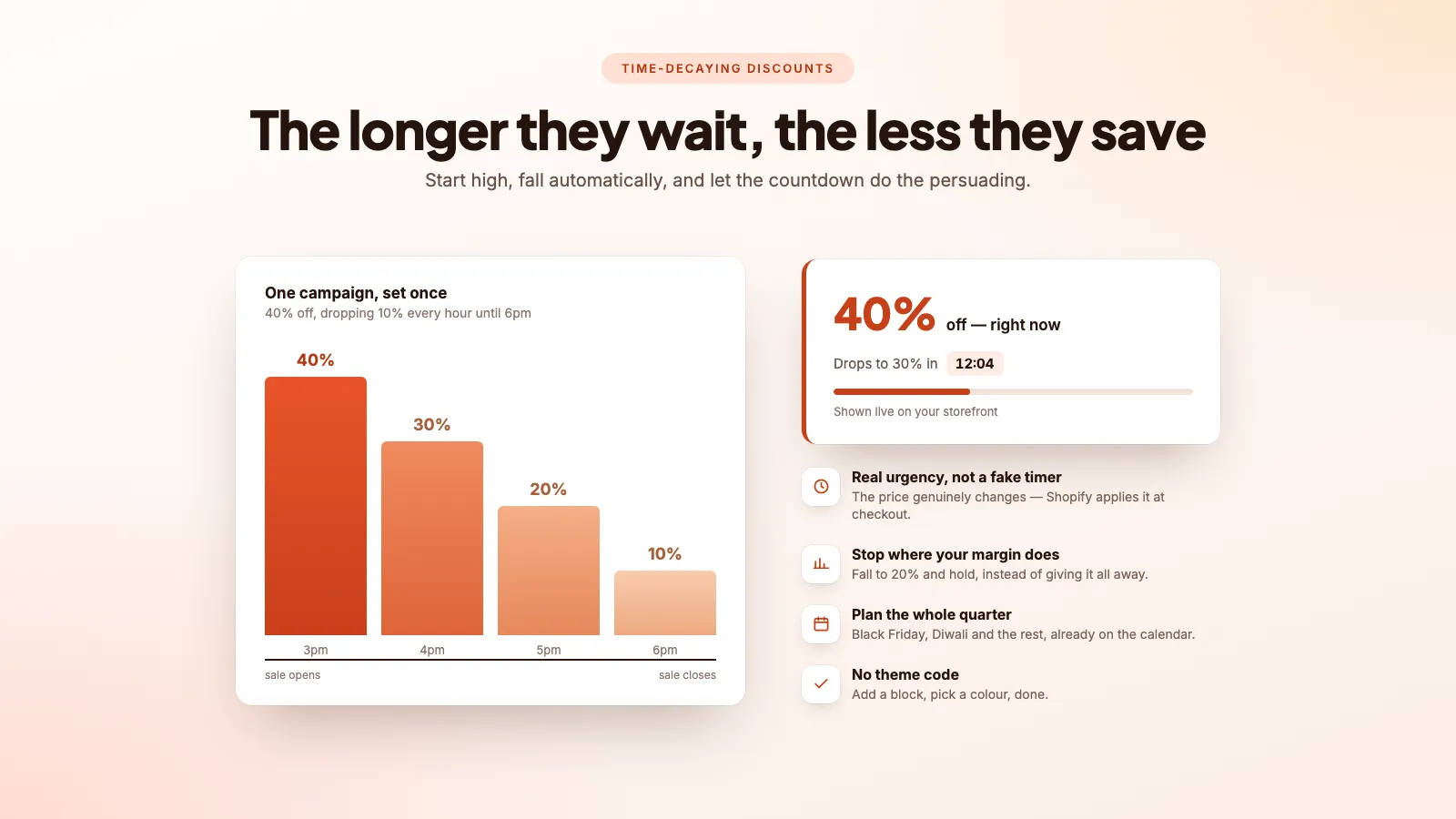
Set it once, then leave it.
Pick a starting rate and a floor
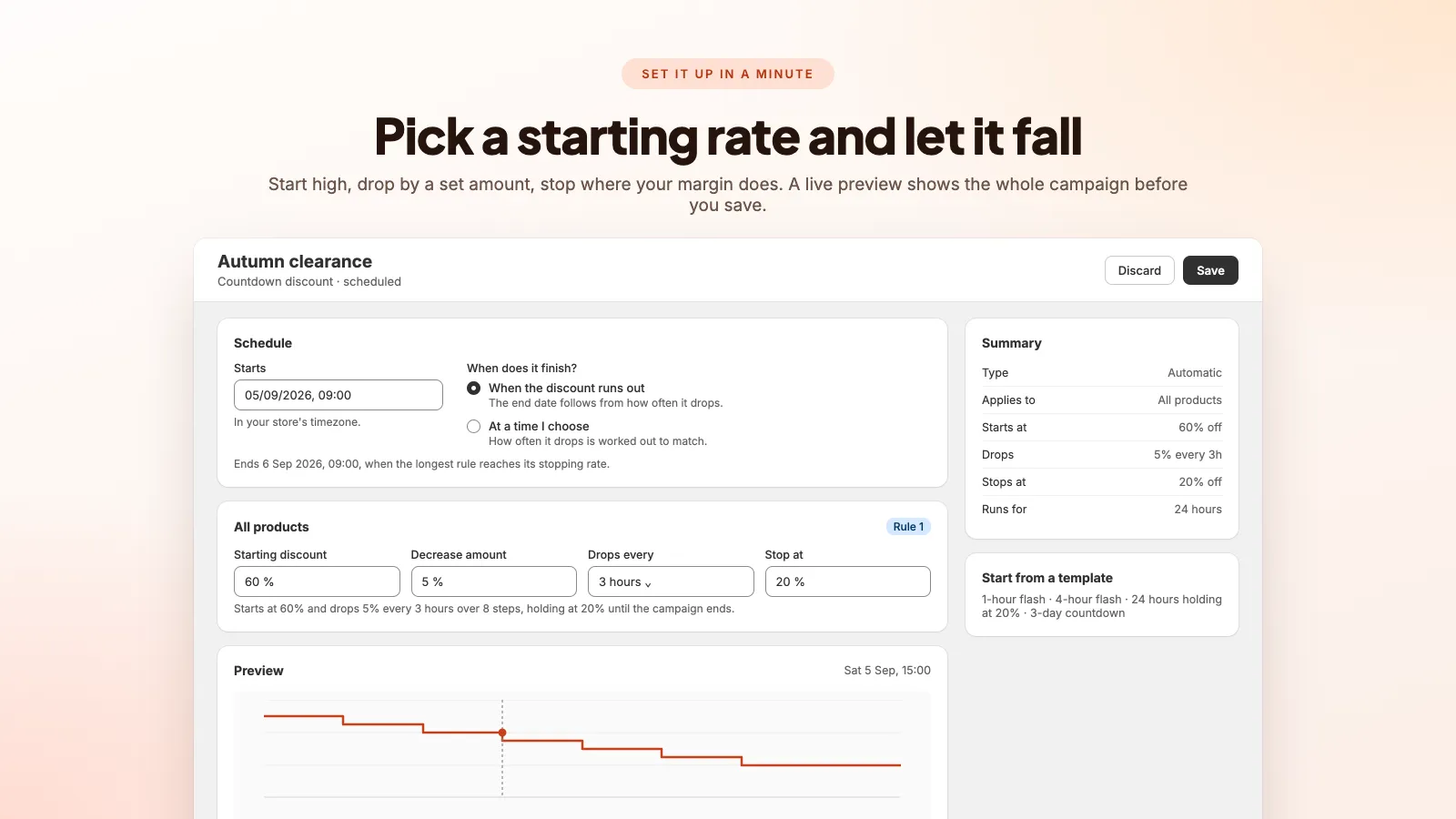
Start at 60%, drop 5% every three hours, stop at 20%. A live preview draws the whole decreasing discount before you save — or take a preset and change nothing.
Add a block to your theme
Floating pill, inline, cart banner, or all three. Added from the Shopify theme editor in a couple of clicks, then styled from inside the app.
Let the clock do the selling
Shoppers watch the discount shrink and buy now rather than bookmarking for later. Afterwards, see which step converted and start there next time.
On your storefront
Three places it can show
A floating pill on every page, an inline block under the price, and a banner above the checkout button. Add any or all of them from the theme editor, and they keep counting inside a cart drawer.
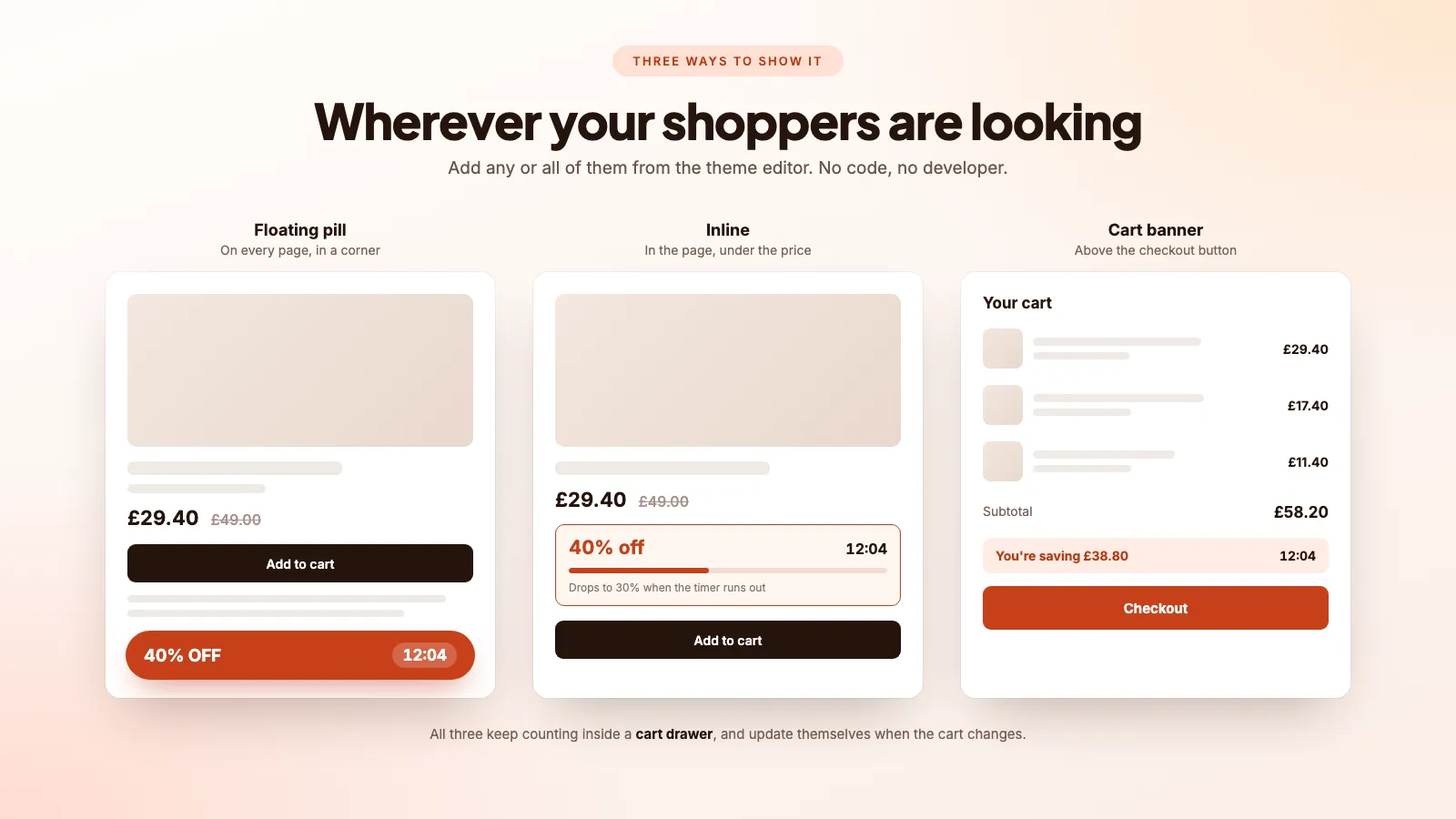
What the shopper sees
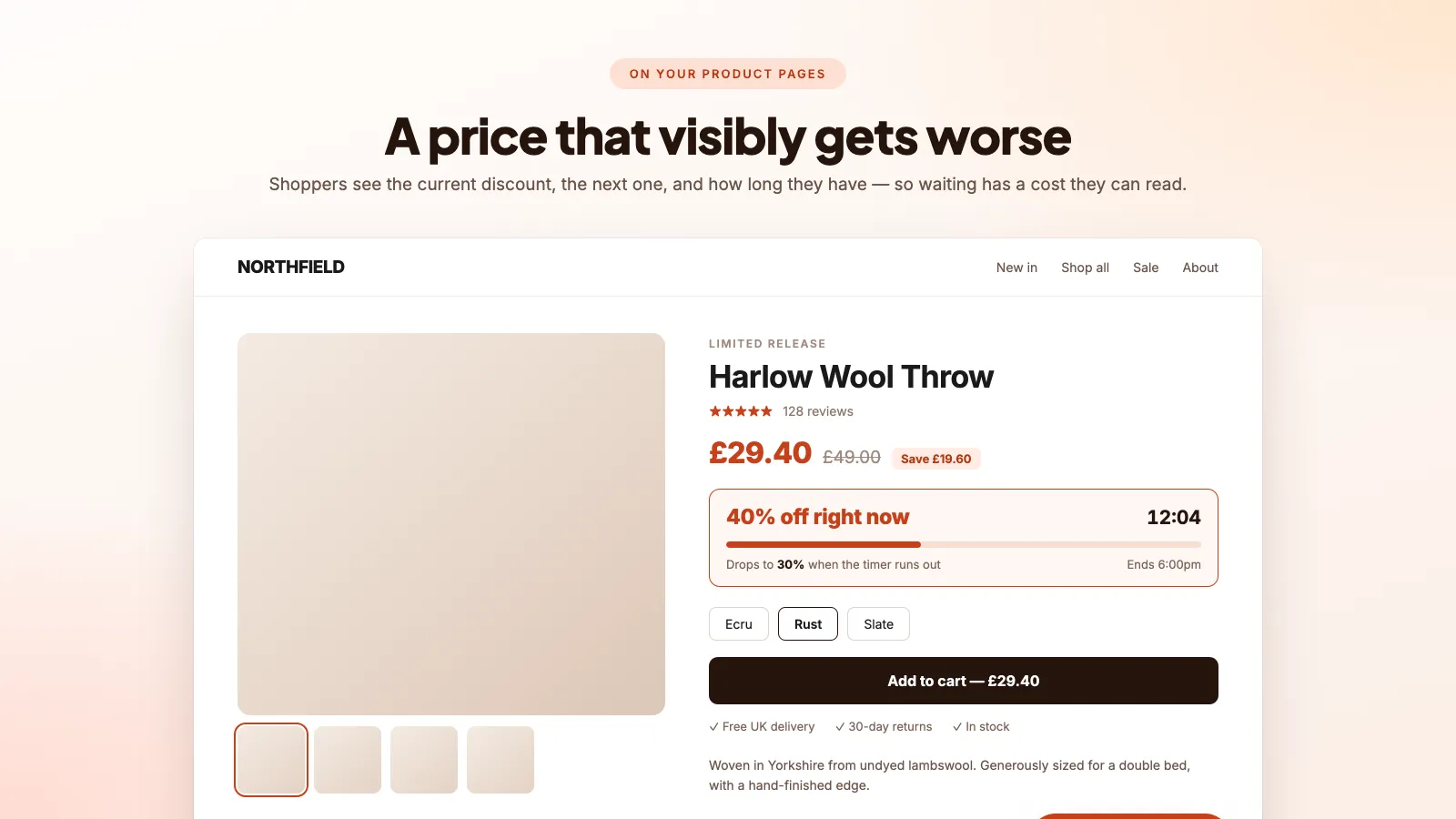
A price that visibly gets worse
The current discount, the one it drops to next, and how long they have. Waiting stops being free, and the urgency is real because the price genuinely changes.
Setting it up
Four fields and a live preview
Starting discount, how much it drops, how often, and where to stop. The preview draws the whole campaign before you save, so nothing about the schedule is a surprise.
Planning ahead
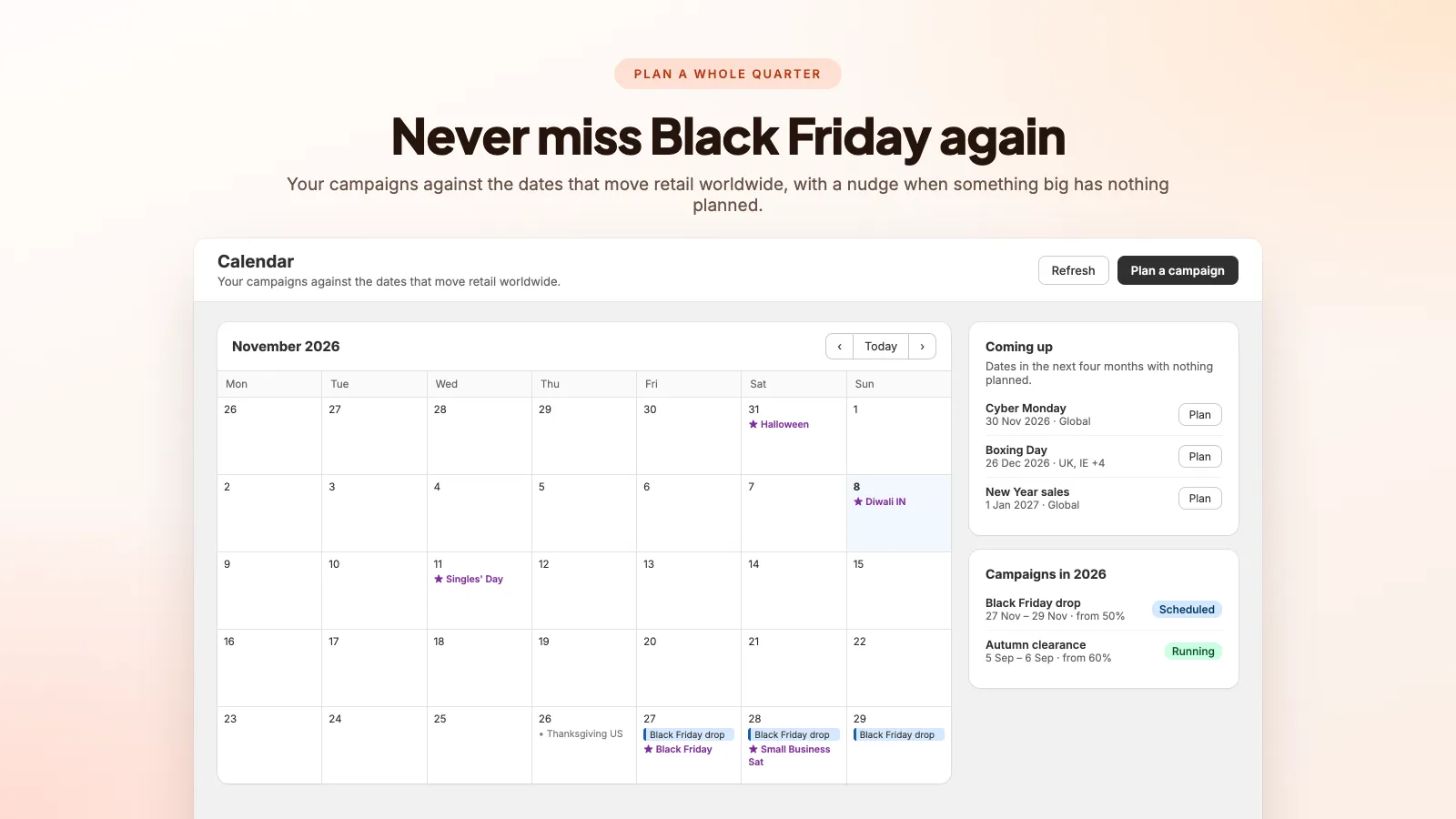
Never miss Black Friday again
Your campaigns against the dates that actually move retail — Black Friday, Cyber Monday, Singles’ Day, Diwali, Boxing Day — with a nudge when a big date has nothing scheduled against it.
Afterwards
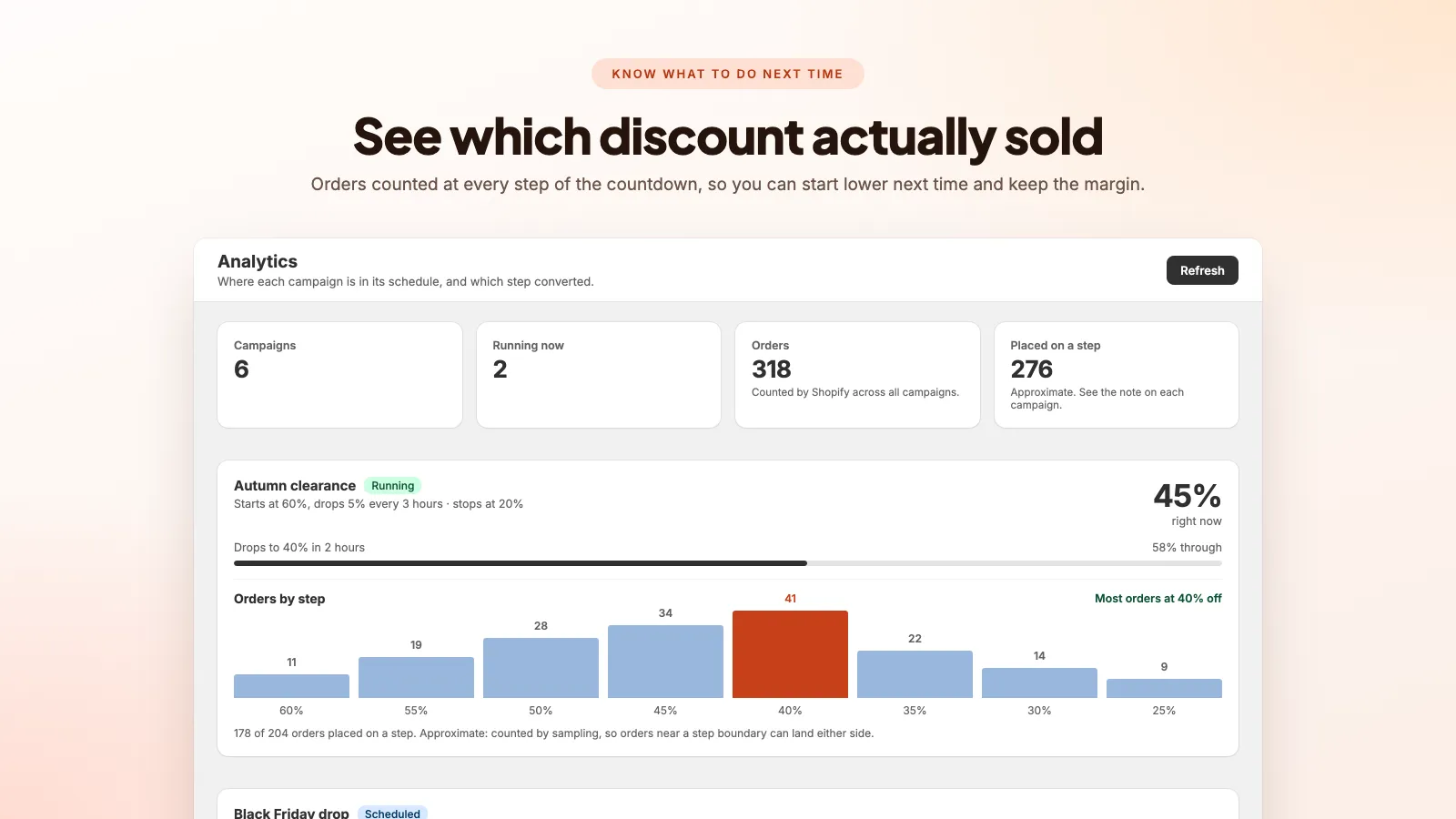
See which discount actually sold
Orders counted at every step of the countdown. If they cluster at 40%, you have a concrete reason to open next time at 45% instead of 60% and keep the difference.
Automation
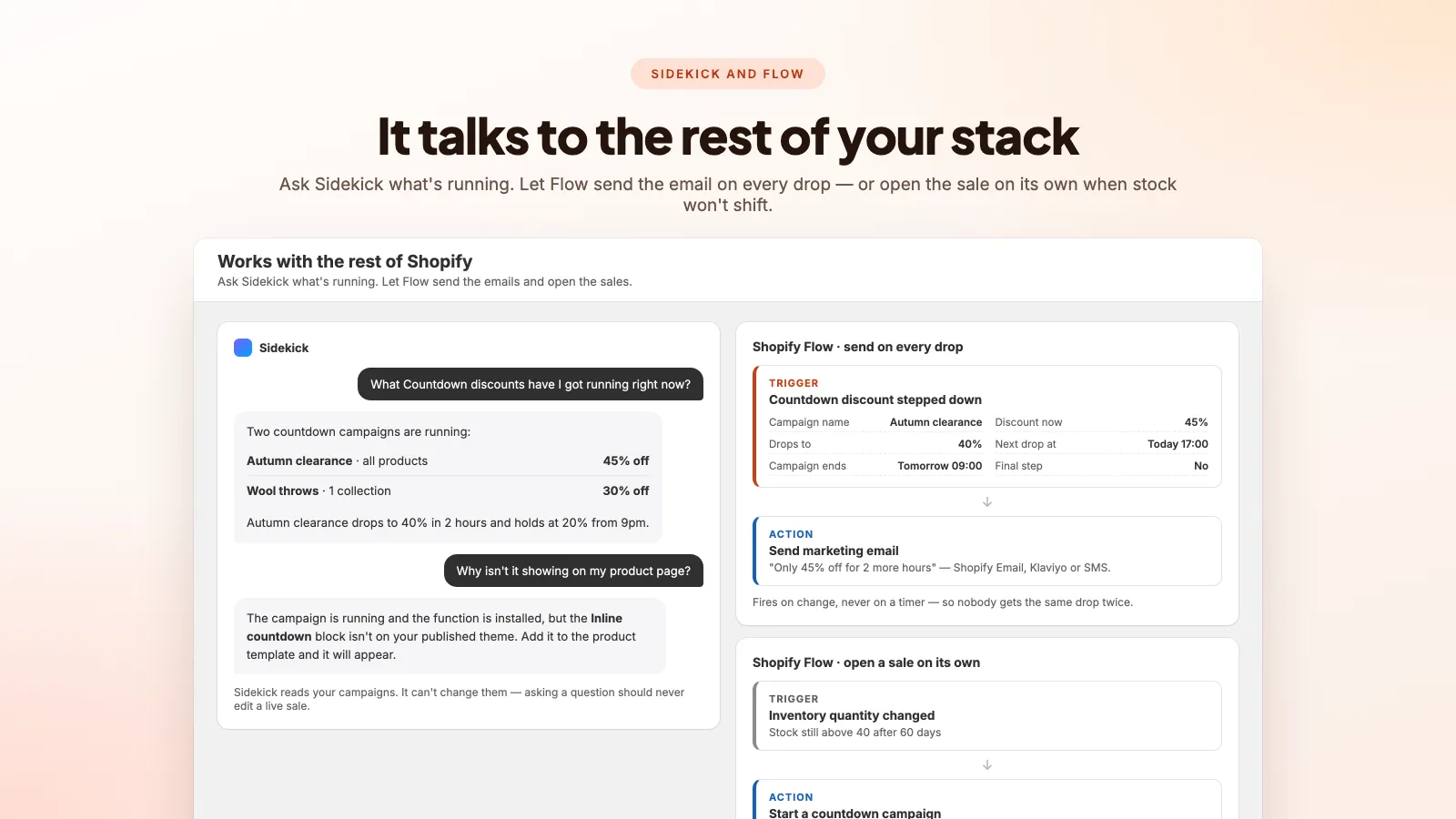
It talks to the rest of your stack
Ask Sidekick what is running and it answers from live data. Every step down fires a Shopify Flow trigger your email tool can send on. And a Flow action can open a sale on its own when stock runs low.
Making it yours
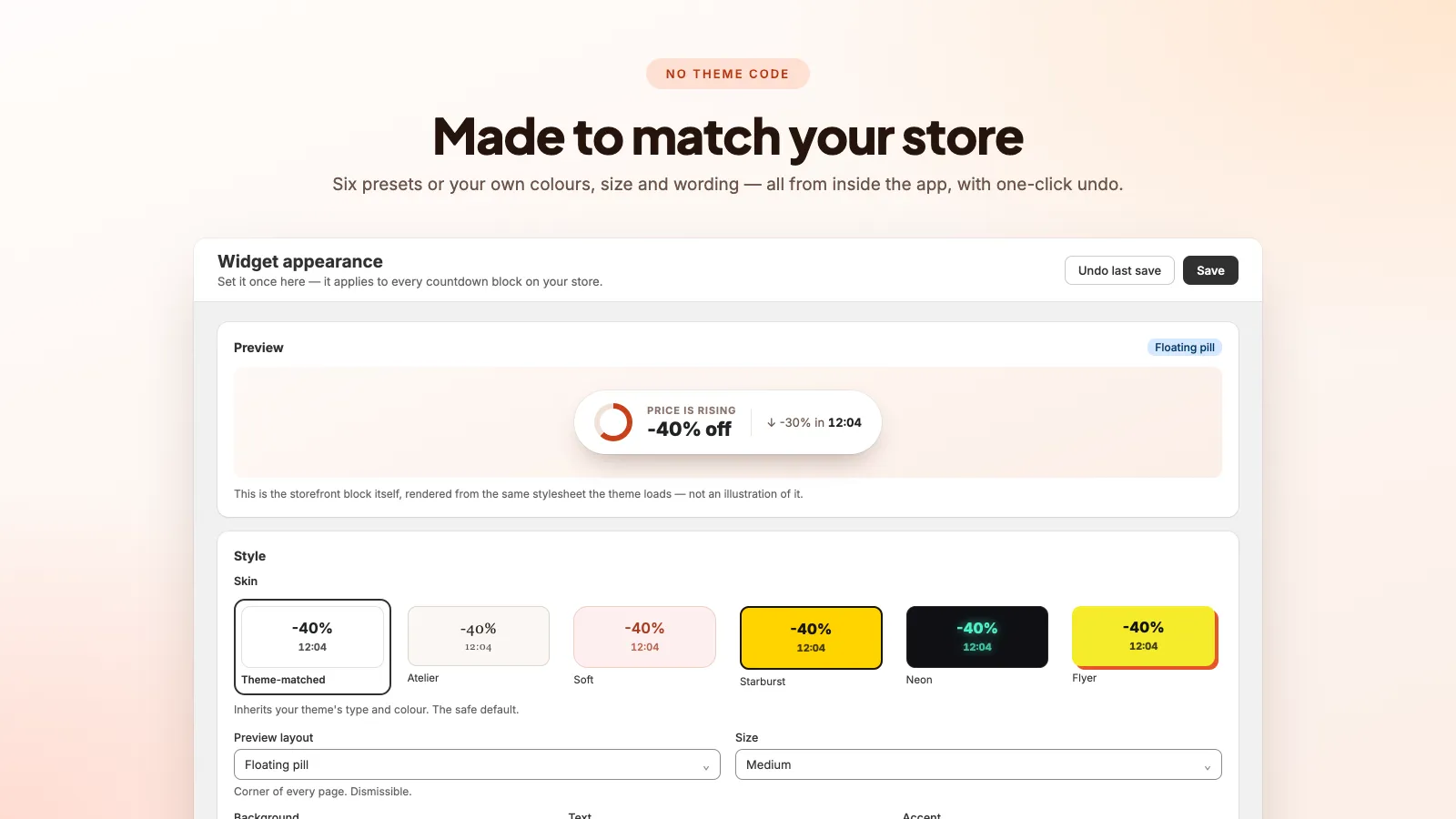
Six presets, or your own
From a theme-matched look that inherits your fonts and colours to loud Neon and Flyer styles. Colours, size and wording are all set inside the app, with one-click undo.
Urgency that is real, not theatre.
A discount that drops on a timer
Set a starting percentage, how much it falls by, how often, and the rate it should stop at. Shopify applies the current discount at checkout, so the price shoppers see is the price they pay.
Three countdown blocks
A floating pill on every page, an inline block under the price, and a banner above the checkout button. Add any or all from the theme editor — no Liquid, no developer.
Stop where your margin does
Fall from 60% to 20% and hold there until the sale closes, instead of counting all the way down to nothing. The last hours are usually the busiest — this is where the money is.
A retail planning calendar
Your campaigns against Black Friday, Cyber Monday, Singles’ Day, Diwali, Golden Week and the rest, with a nudge when a big date has nothing scheduled.
See which step actually sold
Orders counted at every step of the countdown. If most of them land at 30%, that is a concrete reason to start lower next time and keep the margin.
Several campaigns at once
Run a store-wide sale and a deeper discount on one collection together. The narrower rule wins on the products it covers, and the app warns you only when two genuinely conflict.
Styled from inside the app
Six presets or your own colours, size and wording, applied to every block at once. The previous version is kept, so an experiment is one click from being undone.
Feeds your marketing emails
Every step down fires a Shopify Flow trigger carrying the campaign name, the rate now, the rate next and when the next drop lands — so Shopify Email, Klaviyo or SMS can send on it. It fires on change, never on a timer, so no shopper gets the same drop twice.
Start a sale without opening the app
A button on any product page in Shopify admin creates a countdown for that product. A Shopify Flow action does the same automatically, so a low-stock alert can open a sale on its own.
Ask Sidekick what is running
Sidekick answers from live campaign data — what is discounted right now, what is scheduled next week, and why a countdown is not showing. It reads only: asking a question can never edit a live sale.
Cart drawer safe
All three blocks keep counting inside a cart drawer and recalculate when something is added or removed, instead of freezing on whatever the page loaded with.
$5.99
per month · free trial
One plan. No feature gates, no usage tiers, nothing to upgrade to.
Start free trial- Unlimited countdown campaigns
- All three storefront blocks
- A floor rate that protects margin
- Retail planning calendar
- Per-step order analytics
- Shopify Flow and Sidekick
How is this different from a normal countdown timer?
A normal timer only says a sale ends. A decreasing discount changes the actual price while the shopper watches — it starts high and steps down at the interval you set, so waiting has a visible, quantified cost. The price genuinely changes; nothing is theatre.
Does the discount apply automatically at checkout?
Yes. The app uses Shopify Functions, so the current rate is applied by Shopify itself. There is no code for the shopper to remember and nothing to paste at checkout — and no way for a shopper to tamper with the price by editing the page.
Can I stop it eating my margin?
Set a rate for it to stop at and it holds there until the campaign closes rather than falling to nothing. You can also require a minimum spend before the discount applies. Analytics then shows which step actually converted, so the next campaign can start lower.
Can I run more than one campaign at a time?
Yes, and it behaves the way you would expect. When two campaigns cover the same product the narrower one wins — a campaign on one product beats a store-wide one. You are only warned when two genuinely compete for the same products at the same time.
How short or long can a campaign be?
From a one-hour flash sale dropping every 15 minutes up to a multi-week clearance dropping once a day. There are presets for the common shapes: 1-hour flash, 4-hour flash, a 24-hour fade holding at 20%, and a 3-day countdown.
Where does the countdown appear on my store?
Three blocks: a floating pill in the corner of every page, an inline block that sits under the price on a product page, and a banner above the checkout button showing what the current cart is saving. Use any combination.
Will it match my theme?
Six presets — from a theme-matched look that inherits your fonts and colours through to loud Neon and Flyer styles — plus your own colours, size and wording. It is all set inside the app, so you do not reopen the theme editor for every change.
Do I need to edit theme code?
No. The blocks install as theme app blocks: add them from the Shopify theme editor and drag them where you want. A setup page then checks your live store and tells you if anything is missing.
Can I put the countdown in my marketing emails?
The app hands the numbers to the tool you already use. Every time a campaign steps down it fires a Shopify Flow trigger carrying the campaign name, the new rate, the next rate and when the next drop happens — so Shopify Email, Klaviyo or SMS can send on it. It fires on change rather than on a schedule, so nobody receives the same drop twice.
Can I start a sale automatically?
Yes. There is a Shopify Flow action, "Start a countdown campaign", so a low-stock alert, an ageing-inventory check or a date-based workflow can open a sale without anyone touching the admin. There is also a button on every product page in Shopify admin that creates a countdown for that product.
Does it work with Sidekick?
Yes, for questions. Sidekick can tell you what countdown discounts are running, what is scheduled for next week, and why one is not showing on a product page — all from live campaign data. It deliberately cannot change anything: asking a question should never turn out to have edited a live sale.
What does it cost?
One plan at $5.99 a month with a free trial. Unlimited campaigns, all three theme blocks, the planning calendar and analytics are included — there is no higher tier to upgrade to.