The best Shopify delivery date apps, compared
Estimated delivery date apps are unusual on the Shopify App Store: several of the best-reviewed ones have genuinely capable free plans. That makes this a different comparison from most. The question is not "which app is best" — it is "is there anything here worth paying for, given what free already does". This is the honest version, including where our own app loses.
·8 min read
What separates these apps
Every app in this category shows a date on a product page. Treat that as table stakes and compare on the things that decide whether the date is ever right. If you have not set delivery dates up at all yet, how to show estimated delivery dates on Shopify covers the concepts first — this page assumes you are choosing between apps.
- Rule granularity — can the estimate vary by product, by country, by shipping method and by warehouse, or is it one global "add 5 days" setting? A single global rule is wrong for most of your catalogue the moment you sell more than one kind of thing.
- Cut-offs, holidays and closed dates — an estimate that counts weekends and bank holidays as working days will over-promise every Friday afternoon. This is the single most common source of a date the merchant cannot hit.
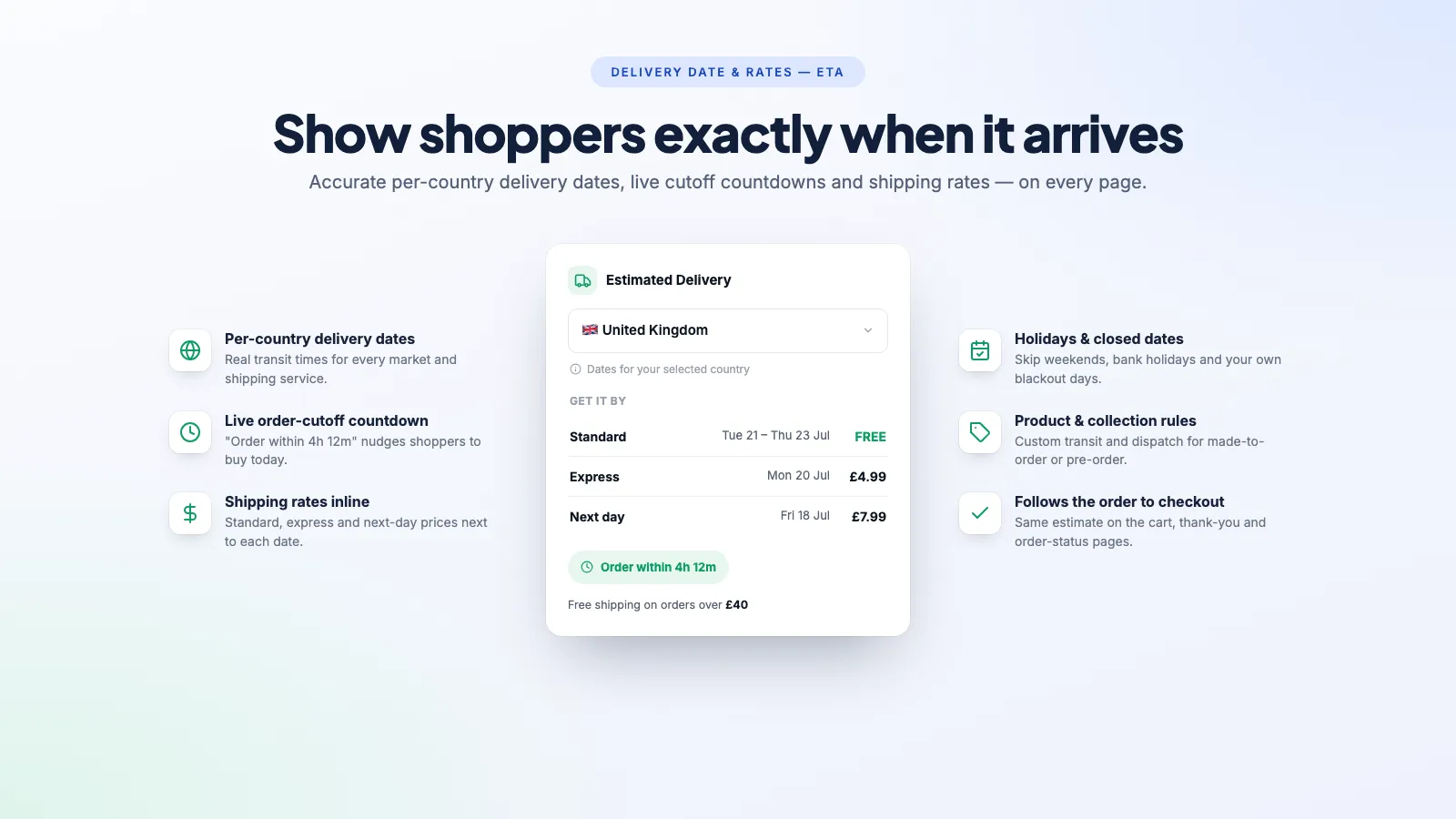
- Rates alongside dates — most apps in this category answer "when", not "how much". Showing the shipping price next to the date removes the other reason people abandon at checkout.
- How it renders — a theme app extension that renders server-side costs you nothing. A script that fetches the date after page load causes a visible pop-in, and if it lands above the buy button it shifts the layout.
- Where the estimate follows — product page only, or cart, checkout, order confirmation and the order status page too. The question does not stop being asked after the purchase.
The apps, side by side
| App | Price | Rating (reviews) | Notable |
|---|---|---|---|
| Essent Estimated Delivery Date | Free | 5.0 (903) | Free, Built for Shopify, and the strongest review base in the category. The default recommendation for most stores. |
| Estimated Delivery Date ‑ ETA (SetuBridge) | Free / $6.99 / $14.99 / $19.99 | 4.9 (462) | Deep rule engine on the paid tiers — processing time, dispatch date and transit time calculated separately. |
| S Estimated Delivery Date Plus (Synctrack) | Free / $4.99 / $9.99 / $29.99 | 4.9 (404) | Built for Shopify. Free tier is capped at one estimate rule; the top tier adds a checkout extension. Bundles shipping protection you may not want. |
| Estimated Delivery Date & ETA (CodeRagon) | Free / $4.99 / $8.99 | 5.0 (77) | Built for Shopify, cheapest paid tier, rules by ZIP code as well as country. |
| Delivery Date & Rates — ETA (Boostify) | $7.99 | No reviews yet | Shows shipping rates beside the date, per-country, and carries the estimate through to the order confirmation. No free tier. |
Which one should you pick?
- You want the safest bet, and you want it free — Essent. 903 reviews, a Built for Shopify badge and no bill is a combination none of the rest can match, ours included.
- You need rules that reflect a real warehouse — SetuBridge. Splitting processing time from transit time is the difference between an estimate and a guess when you dispatch on a schedule.
- You want the cheapest paid tier with proper rules — CodeRagon at $4.99, or Synctrack at $4.99 if you also want the checkout extension path later.
- You want the shipping cost shown next to the date — Delivery Date & Rates — ETA. That is the thing this app does that the others in this table do not, and it matters most on heavy or international products where the postage is the real objection.
Being straight about our own listing: Delivery Date & Rates — ETA has no App Store reviews yet, and it has no free plan in a category where the highest-rated app is free. If a track record is what you need before installing anything, install Essent instead — it is a genuinely good app and we would rather you had accurate dates than our billing. Take the 14-day trial only if the rates-beside-the-date behaviour is the specific thing you are missing.
Things to test during a trial
- Set a cut-off time, then load a product page just before and just after it. The date should move by a day. A surprising number of setups fail this.
- Check a Friday afternoon and a bank holiday. If the estimate counts non-working days, every promise you make before a long weekend is wrong.
- Switch country, or use a VPN. A per-country app that shows a UK date to a US shopper is worse than showing nothing.
- Run the product page through PageSpeed Insights before and after installing, and watch Cumulative Layout Shift specifically — a date that appears above the buy button after load pushes the button down. What actually slows a Shopify store down covers how to attribute that to the right app.
- Place a test order and read the confirmation email. If the date stops at the product page, your support inbox still gets the "where is it" messages.
Frequently asked questions
Is there a free Shopify delivery date app?
Yes, and it is one of the best-rated apps in the category. Essent Estimated Delivery Date is free with a Built for Shopify badge and over 900 reviews. Synctrack, SetuBridge and CodeRagon also have free tiers, though those are capped — usually to a single estimate rule, which is enough only if one rule genuinely covers your whole catalogue.
Do I need an app at all?
Not always. If every product ships from one place on the same schedule, a line of text in the product template does the job and costs nothing. You need an app once the answer varies — by product, country, shipping method or season — because that is the point at which a hardcoded sentence starts being wrong more often than it is right.
Do delivery dates help SEO?
Not directly — there is no ranking factor for delivery dates. The indirect effects are real though: fewer people bouncing back to the search results because the shipping question went unanswered, and fewer "where is my order" support tickets. Treat it as a conversion tool, not an SEO one.
What happens if I promise a date and miss it?
You get a support ticket, and in the UK and EU a delivery date shown at the point of sale can form part of the contract. Build in slack rather than showing your best-case date, and use a range rather than a single day where the transit time is genuinely variable.
Can I show delivery dates at checkout as well?
On Shopify Plus, and increasingly on standard plans through checkout extensions, yes — but not every app in this category supports it, and some gate it behind their top tier. If the estimate needs to survive to checkout and the order status page, confirm that before you pick, because it is the most commonly missing feature.
Dates and rates in the same place
Per-country delivery dates with the shipping cost beside them, a live cut-off countdown, and the estimate carried through to the order confirmation. 14-day free trial.
How to show estimated delivery dates on Shopify
Why "3-5 business days" costs you sales, and the three ways to put a real date on the product page instead.
How to show delivery dates on Shopify product pages
Getting the date right is half the job. Where it sits on the page, and how it is worded, decides whether anyone acts on it.
Shopify order cut-off times, holidays and closed dates
The single most common cause of a wrong delivery estimate is an app counting Sunday as a working day. Here is the whole set of rules to get right.