How to show Etsy reviews on Shopify product pages
Reviews sitting in an app do nothing. Reviews sitting at the bottom of a long product page do almost nothing. This guide covers where to put imported Etsy reviews on a Shopify product page, how to make each page show reviews about that product, and how to avoid the empty-widget problem on products nobody has reviewed yet.
·7 min read
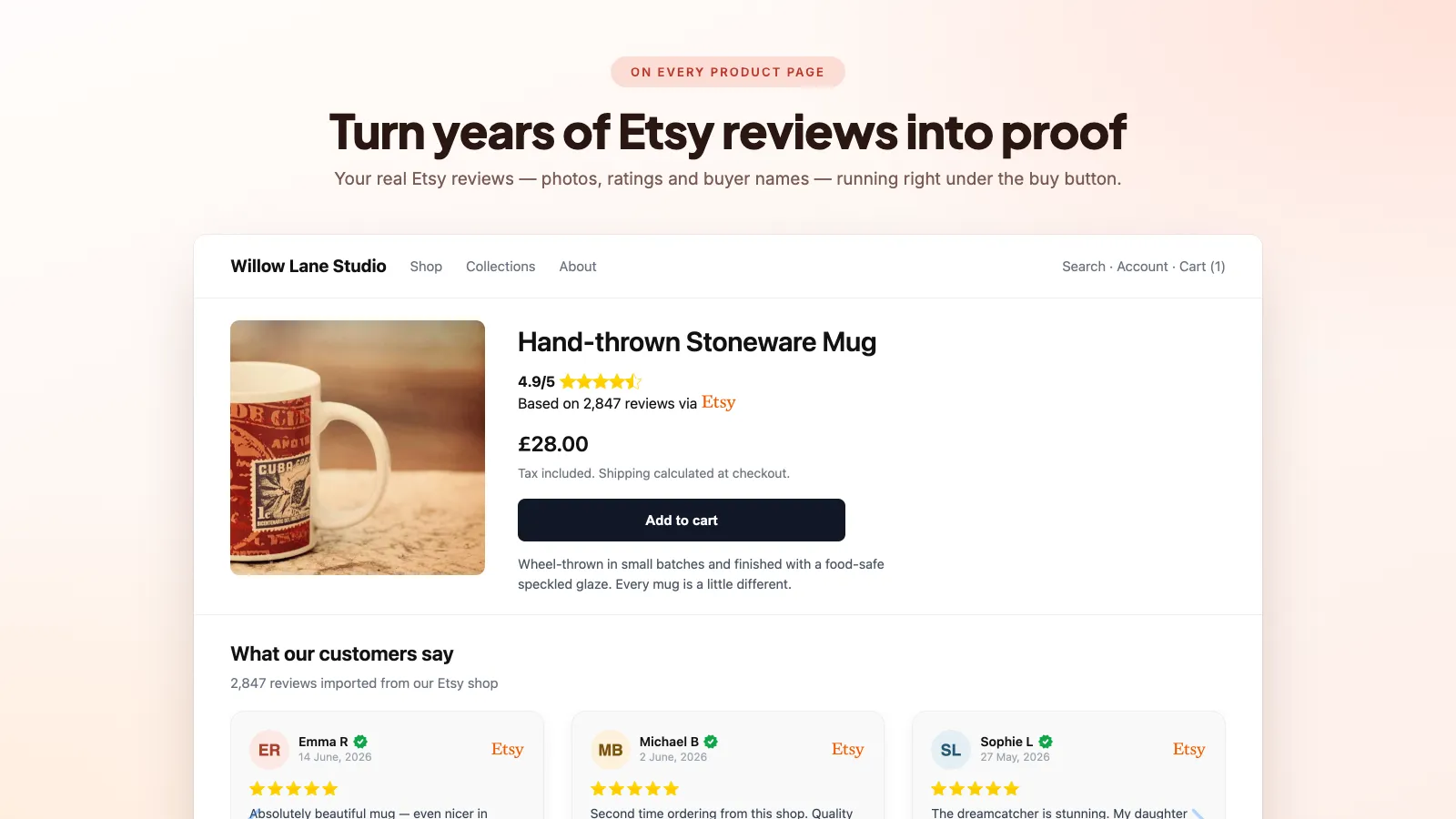
Add the block in the theme editor
On any Online Store 2.0 theme — Dawn, Refresh, Craft, Sense and most paid themes since 2021 — review widgets are app blocks you place yourself. No Liquid editing, and nothing to undo if you change your mind. This page assumes the reviews are already in Shopify; if they are not, import them first.
- 01
Open the product template
Online Store → Themes → Customise, then switch the page selector at the top from Home page to Products → Default product.
- 02
Add an app block where you want it
In the left panel, click "Add block" inside the product information section for something near the buy button, or "Add section" further down the page for a full-width band. Pick the review block from the app list.
- 03
Drag it into position
Blocks move by dragging. Position is the single biggest lever you have here — see the next section.
- 04
Set the block options and save
Colours, review count, photo-only filtering and product matching are all per-block settings, so the same widget can behave differently on the product page and the home page.
Where on the page to put them
Two placements do most of the work, and they complement each other:
- A compact star badge next to the price, above the fold. Shoppers decide whether to keep reading in a couple of seconds, and "4.9 from 312 reviews" is the fastest possible reassurance.
- A review carousel immediately below the add-to-cart button. Not at the foot of the page under the shipping accordion — right where the decision is being made.
Then, if the products suit it, a photo wall further down. For handmade, personalised and gift items, photographs taken by real buyers in real rooms do more than any amount of copy — they answer "will it actually look like the listing photo?", which is the objection you are up against.
Check the result on a phone before you call it done. A carousel that shows three reviews side by side on desktop and one cropped review on mobile needs its settings adjusted, not shipping.
Match reviews to the right product
This is the difference between a review section that sells and wallpaper. A shopper looking at a personalised oak chopping board wants reviews about that board, not five-star praise for your candles.
Product matching works by linking each Shopify product to the Etsy listing it came from. Once linked, a block set to show matching reviews only will filter the feed down to reviews left against that listing. Do your top sellers first — a handful of products usually carries most of your traffic, and the rest can run on the shop-wide feed without much loss.
One caution: Etsy reviews are tied to listings, and if you split one Etsy listing with variants into several Shopify products, the reviews follow the listing, not your new structure. Decide which Shopify product inherits them.
Handle products with no reviews yet
Turn on product matching without a fallback and every new product renders an empty widget — a blank band, or worse, a visible zero. Empty social proof is worse than none, because it says "nobody has bought this".
- Enable the shop-wide fallback so a product with no reviews of its own shows your best general reviews instead.
- Or leave the block off new products until they have their own reviews, using a separate product template.
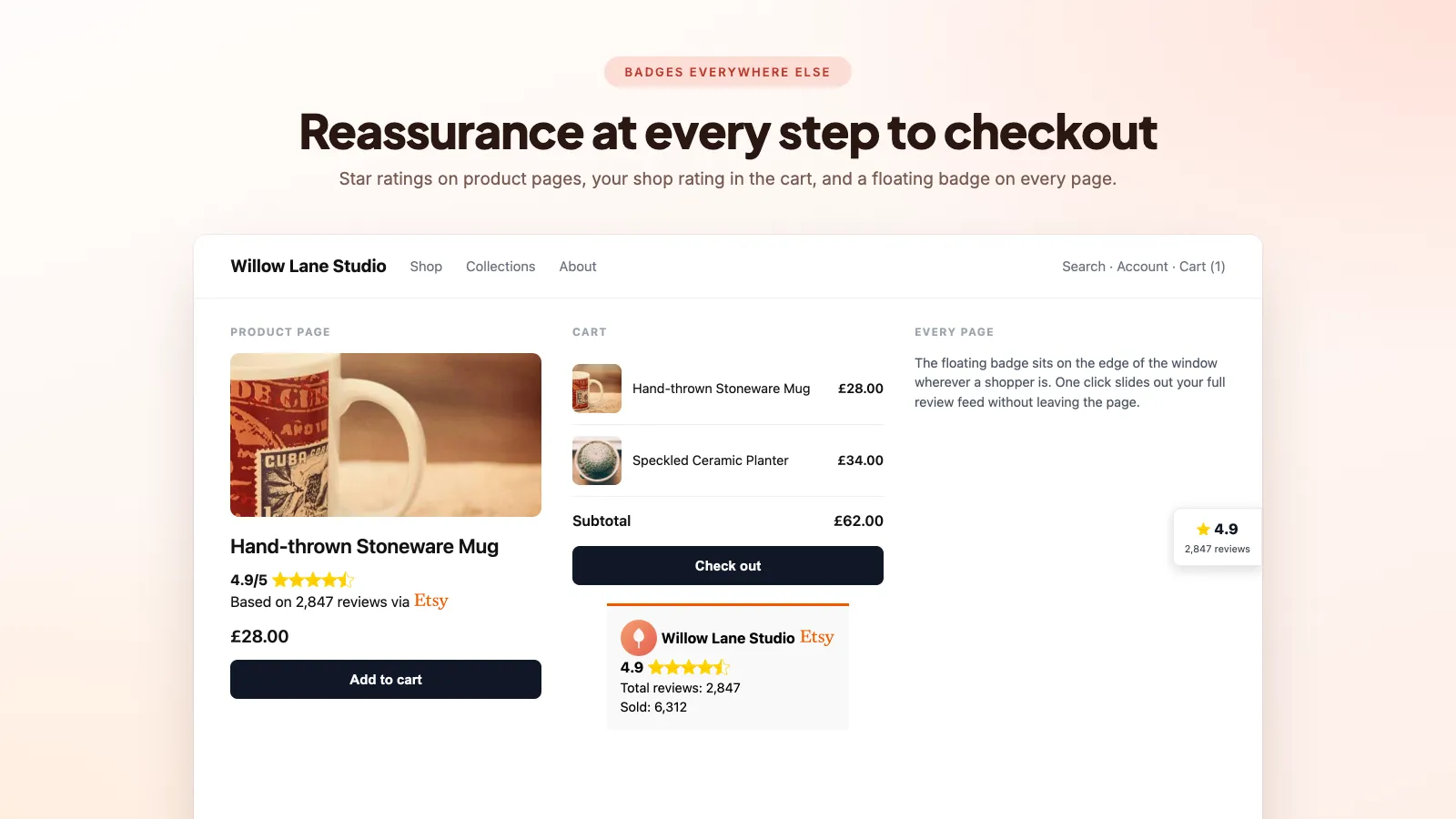
- Keep a shop badge in the footer regardless. Overall rating and total sold count reassure across the whole store, including on pages with no product reviews.
Keep it fast
Review widgets are a common cause of a slow product page: large unoptimised buyer photos, a JavaScript bundle fetched before anything renders, or a layout that jumps as reviews load. The seven blocks in Boostify Etsy Reviews Importer render in the theme rather than through an iframe, which is what keeps the review text in the page HTML.
- Prefer widgets rendered server-side in the theme over ones that fetch reviews from an external API on every page view — those cost a round trip before a shopper sees anything.
- Limit how many reviews render at once. Ten is plenty; nobody reads eighty, and every one is an image request.
- Re-run PageSpeed Insights on a product page after installing. If Largest Contentful Paint or Cumulative Layout Shift got noticeably worse, change the placement or the app — what actually slows a Shopify store down goes through how to tell which app is responsible.
Frequently asked questions
Can I show different reviews on different products?
Yes — link each Shopify product to its Etsy listing and set the block to show matching reviews only. Products with no linked reviews can fall back to shop-wide ones.
Can I show only reviews with photos?
Most review blocks have a photo-only toggle. It is very effective on a photo wall and on the home page; on a product page you usually want the text reviews too, since they answer specific questions about sizing and quality.
Do I have to display the Etsy logo?
It is a per-block toggle. Leaving it on tells shoppers the review is a verified Etsy purchase, which is worth more than an anonymous testimonial. Turning it off makes the reviews read as your own — a fair choice once you have moved off Etsy entirely.
My reviews vanished after I changed theme. Why?
App blocks are stored in the theme, not in the app. Switch, duplicate or update a theme and you re-add the blocks in the new theme's editor. The review data itself is untouched.
Seven placements, no code
Product carousel, star badge, photo wall, review grid, homepage carousel, shop badge and floating badge — all Online Store 2.0 theme blocks you drag into place.
How to import Etsy reviews to Shopify
A step-by-step comparison of the manual CSV route and the automatic sync route — including the parts of the CSV method nobody warns you about.
The best Etsy review apps for Shopify, compared
Six apps do this job and they are not interchangeable. What separates them, what each costs, and which one suits which kind of shop.
Etsy Share & Save links, and how to use them alongside Shopify
Etsy pays you to bring your own traffic. Here is what the programme is worth, and how it fits a seller who also runs a Shopify store.