Shopify shipping rates: what shoppers see, and when
Shopify does not show a shipping price until the customer is at checkout with their address entered. That is a sensible technical default and a poor commercial one: the shopper has invested effort before finding out the number, and unexpected shipping cost is consistently the most cited reason people abandon carts. This covers how Shopify actually calculates rates, the three ways to set them up, and how to get the number in front of people earlier.
·8 min read
How Shopify decides what to charge
Rates come from shipping profiles. A profile ties a set of products to a set of locations, and each zone within it carries the rates a customer in that zone can see. Most stores run one general profile and only discover the second kind when something heavy or hazardous needs its own.
- Flat rates — a fixed price per zone, optionally banded by weight or order value. Simple, predictable, and either subsidising or overcharging almost every order.
- Free shipping thresholds — a flat rate of zero above a cart value. The most reliable AOV lever in this list, because the shopper does the work of reaching it.
- Carrier-calculated rates — Shopify asks the carrier for a live price at checkout using the real weight, dimensions and destination. Accurate, and it stops you eating the difference on awkward parcels.
Why the cost appearing late costs you money
The default flow asks a shopper to choose a product, add it, open the cart, enter an email and a full delivery address, and only then tells them what postage costs. Every one of those steps is effort spent before the deciding number appears.
- The cost is a surprise at the worst moment — after investment, at the point where abandoning feels least wasteful because the order does not exist yet.
- It is worst on heavy and international orders, which is exactly where the margin is. A £45 product with £22 of postage is a decision, and making it at checkout rather than on the product page is making it in the least favourable place.
- It compounds with the delivery date question. "How much" and "when" are the same objection, and answering neither until checkout means the shopper has been guessing on both.
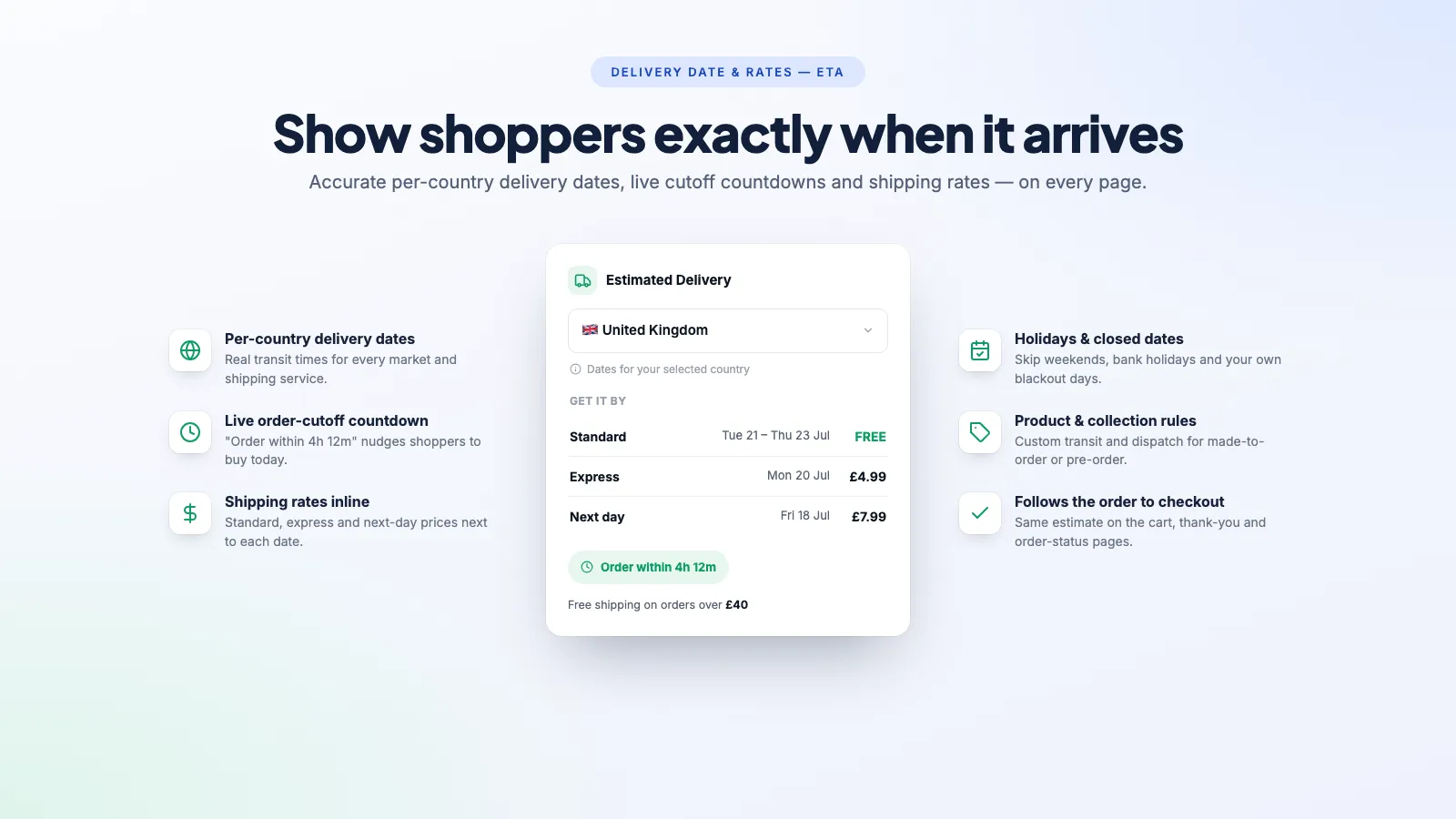
The fix is the same shape as the delivery date fix: put the answer next to the buy button. Where to place it, and how to word it applies to the price as much as to the date — and showing both together answers the whole objection in one line rather than half of it.
Getting the number in front of people earlier
- Publish a free shipping threshold and show progress toward it. "£12 away from free delivery" in the cart works because it converts a cost into a goal.
- State the flat rate on the product page where you have one. If postage is always £3.95, there is no reason to make anyone reach checkout to learn that.
- Show a rate estimate per destination on the product page. This is what a rates widget does — it reads your shipping profiles and shows the applicable price for the visitor's country before they commit.
- Put the shipping policy somewhere findable, and keep it consistent with what the checkout charges. A policy page that disagrees with the checkout is worse than no policy page.
Our own app, Delivery Date & Rates — ETA, is built around showing the rate and the date together on the product page, per country, and carrying both through to the cart and order confirmation. It is $7.99/month with a 14-day free trial. If you only need the date and not the price, there are free apps that do that well — compared here.
International, and the UK case in particular
Cross-border shipping is where rate strategy stops being a detail. Post-Brexit, a UK store shipping into the EU faces customs paperwork, duty thresholds and a choice about whether the customer pays on delivery or at checkout.
- Delivered Duty Paid at checkout costs more up front and produces far fewer refused parcels than a surprise customs bill on the doorstep.
- Shopify Markets handles a lot of the localisation — currency, duties, and market-specific rates — and is worth configuring before you bolt on apps to solve the same problem.
- Economy international services exist between full express and untracked post, and they are frequently the difference between a viable international order and one nobody places.
FedEx International Connect Plus is one of those economy services — a lower-cost cross-border option for lighter e-commerce parcels that does not appear in Shopify's standard FedEx integration. For UK merchants shipping abroad, FedEx International Connect UK brings those live rates into the checkout alongside your other options.
Common rate mistakes
- Weights not set on products. Carrier-calculated rates read the product weight, so a catalogue full of zero-weight items returns nonsense prices or no rates at all.
- One profile for everything. The moment you sell something heavy, awkward or restricted, it needs its own profile or it will be quoted at the general rate and cost you the difference on every order.
- A free shipping threshold below your average postage cost. Free delivery over £30 on orders that cost £8 to send is a discount you did not decide to give.
- Rates set once and never revisited. Carrier prices rise annually; flat rates set two years ago are quietly funding your couriers.
- No rate at all for a zone you actually ship to. A missing rate does not show an error — the customer simply cannot check out, and you never hear about it.
Frequently asked questions
Why does Shopify only show shipping cost at checkout?
Because the rate depends on the destination address, and Shopify does not have one until the customer enters it. It is a reasonable technical default, but it means the deciding number appears after the shopper has already invested effort — which is why showing an estimate earlier, on the product page or in the cart, consistently reduces abandonment.
Can I show shipping rates on the product page?
Not natively — you need an app that reads your shipping profiles and displays the applicable rate for the visitor's location. It is an estimate rather than the final charge, since the exact address can change the zone, but an estimate on the product page is far better than a surprise at checkout.
What are carrier-calculated shipping rates?
Shopify asking the carrier for a live price at checkout based on the real weight, dimensions and destination, instead of using a rate you set by hand. More accurate, and it stops you subsidising awkward parcels. It is a paid feature — included on higher plans, an add-on on lower ones.
Does free shipping actually increase sales?
A threshold does, reliably, because it converts a cost into a target the shopper works toward. Blanket free shipping mostly moves the cost into the product price, which is fine if you price for it and expensive if you do not. Set the threshold above your average order value, not below it.
What is FedEx International Connect Plus?
A lower-cost cross-border FedEx service aimed at lighter e-commerce parcels, positioned between full express and standard post. It does not appear in Shopify's built-in FedEx integration, so UK merchants shipping internationally need a dedicated app to surface those rates at checkout.
Show the price with the date
Per-country delivery dates with real shipping rates beside them, on the product page — so the cost is not a surprise three steps later. 14-day free trial.
How to show estimated delivery dates on Shopify
Why "3-5 business days" costs you sales, and the three ways to put a real date on the product page instead.
The best Shopify delivery date apps, compared
There are good free options in this category, which changes the question from "which app" to "what do you actually need that free does not do".
Shopify order cut-off times, holidays and closed dates
The single most common cause of a wrong delivery estimate is an app counting Sunday as a working day. Here is the whole set of rules to get right.