Shopify product options vs add-ons: which one do you need?
Shopify merchants asking for "product add-ons" want one of two quite different things, and app listings do nothing to help them tell which. One customises the item being bought. The other sells a second item alongside it. Picking the wrong kind of app is recoverable in week one and painful in month six, because by then the wrong data model is in your order history. This is how to tell them apart before you install anything.
·7 min read
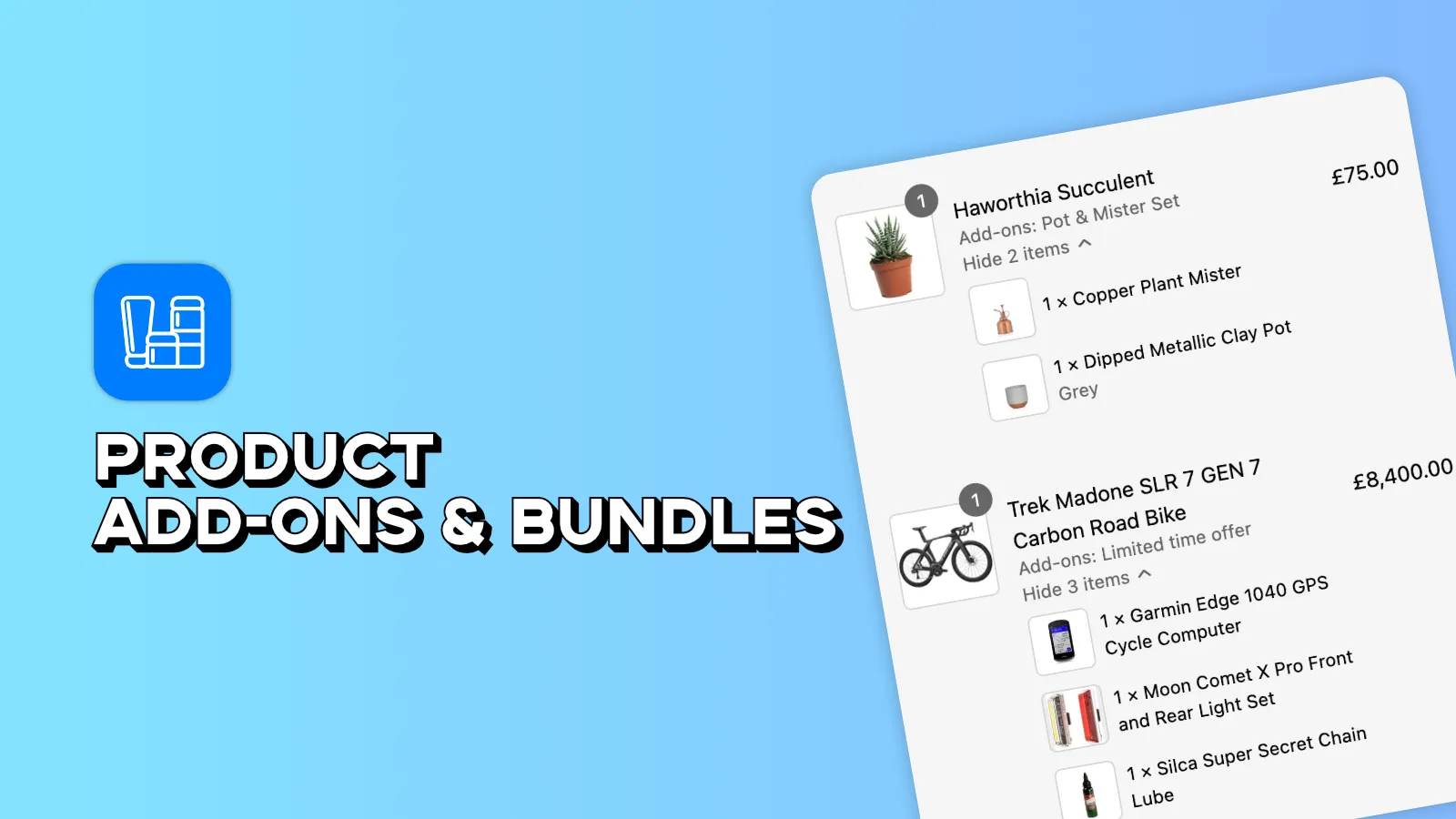
The distinction in one line each
- A product option changes the thing being bought. Engraved initials, a chosen fabric, an uploaded photo, a gift message. One product leaves your warehouse, configured to order.
- An add-on is a second thing bought at the same time. Gift wrap, a spare filter, batteries, a matching case, shipping insurance. Two things leave your warehouse, or one thing plus a service.
- A bundle is several products sold together at a set price. The offer is easy; the inventory is the hard part.
The test that settles almost every case: if you removed it from the order, would you be shipping a different product, or the same product minus something? Different product means option. Same product minus something means add-on.
Why options apps exist at all
Shopify has a hard cap on native variants. Options apps exist to get past it, and that is genuinely the whole reason for the category.
- Free-text fields — engraving, monograms, gift messages — cannot be variants at all, because the value is different on every order.
- File uploads have no native equivalent, and any product involving a customer-supplied photo needs one.
- Combinatorial explosion — three option sets with ten choices each is a thousand variants before you have added a size. The cap is reached quickly by real catalogues.
- Conditional logic — showing the engraving font picker only if engraving was selected — has no native mechanism.
None of that has anything to do with selling a second product. An options app is a configuration tool, and the good ones say so.
The line-item properties trap
This is the single most important thing to understand before you install anything in this category, because it is where the money quietly goes missing.
Many options apps implement paid extras using line-item properties. A line-item property is a note attached to a product in the cart — "Engraving: ABC", "Gift wrap: yes". It is metadata. It does not charge money on its own.
- Some apps work around this by adding a hidden product to the cart, which works but is fragile — discount codes, cart edits and abandoned-cart flows all interact with it in ways nobody tested.
- Others adjust the price with a draft order, which breaks the normal checkout path and often loses Shop Pay.
- Others simply do not charge, and expect you to invoice separately. This is the version that fails, because it works fine in testing and silently loses money for a year.
What each one needs from your setup
| Product options | Add-on products | |
|---|---|---|
| What the customer gets | One configured product | Two or more separate items |
| Inventory | Usually the base product only | Each add-on needs its own stock tracked |
| On the pick list | An instruction on the line | Its own line to pick and pack |
| Accounting | Part of the product price | Should be its own line item with its own revenue |
| Typical price effect | Adds to the base price | Adds a separate charge |
| Fails when | Variant cap or free text is needed | The extra never actually gets charged |
The inventory row is the one people underestimate. Add-ons that sell steadily — gift wrap in December, filters all year — run out, and an add-on with no stock tracking oversells silently. Boostify Upsell Product Addons tracks add-on stock across the products it is attached to, so an add-on that runs out stops being offered rather than being sold anyway.
So which do you need?
- List the extras you want to sell and apply the removal test to each: different product, or same product minus something?
- For the options, count how many are free text or file upload. If any are, you need an options app; variants cannot express them.
- For the add-ons, decide whether each needs its own stock. If yes, it must be a real product with a SKU, not a note.
- Check whether any of them are actually bundles — several existing products at a combined price. Those need a bundles app and a decision about component inventory.
- Only then look at apps. The comparison is here, grouped by which of the three problems each app actually solves.
Frequently asked questions
What is the difference between a product option and an add-on in Shopify?
An option changes the product being bought — an engraving, a colour, an uploaded image — and one configured item ships. An add-on is a separate product bought alongside, like gift wrap or a spare part, and it should arrive on the order as its own line item with its own stock and its own revenue. The quick test: remove it, and ask whether you would be shipping a different product or the same product minus something.
Are line-item properties enough for paid add-ons?
No. A line-item property is a note attached to a product in the cart. It records what the customer asked for and it does not charge money. Apps relying on properties alone either add a hidden product behind the scenes, use a draft order, or leave you to invoice by hand — and the last of those quietly loses money because it works perfectly in testing.
Why does Shopify limit product variants?
Variants are a combinatorial structure, and the cap keeps catalogues and the admin usable. It is reached faster than people expect: three option sets of ten choices is a thousand variants before size. Free text and file uploads cannot be variants at all, which is the other reason options apps exist.
Can one app do options, add-ons and bundles?
Some claim to, and they are usually strong at one and adequate at the others. That is fine if the one they are strong at is your actual problem. It is not fine if you picked it for a secondary feature implemented as a workaround — which is how stores end up with paid extras that never charge.
Do add-ons hurt conversion rate?
Relevant, clearly priced, genuinely optional ones do not — nobody abandons a cart because gift wrap was offered. Pre-ticked paid extras are a different matter: that is a dark pattern, it generates chargebacks, and in the UK and EU it falls foul of consumer protection rules on pre-selected additional payments.
Add-ons that actually charge
Real line items with their own stock, attached to the products they belong to, in a theme block that matches your storefront. Free plan available, Pro at $7.99/month.
The best Shopify add-on and bundle apps, compared
This category mixes three different products under one label. Working out which one you need matters more than which vendor you pick.
Shopify product bundles and add-ons that raise AOV
Bundle, add-on, upsell and cross-sell are four different mechanics. Using the wrong one is why most AOV experiments do nothing.
How to add product add-ons to a Shopify product page
Placement and relevance do the work here. An add-on below the fold, or one nobody wants, is just weight on your product page.